Responsive web design is essential for delivering a seamless user experience across different devices. If you’re using WordPress as your website platform, creating a responsive design can be achieved with a few key steps.
In this comprehensive guide, we will walk you through the process of creating a responsive web design in WordPress, ensuring that your website looks and functions flawlessly on desktops, tablets, and mobile devices.
Whether you’re a beginner or an experienced WordPress user, this article will provide you with practical insights and actionable steps to create a responsive website.
Understanding Responsive Web Design
Before diving into the implementation process, it’s important to understand the principles of responsive web design. Responsive design aims to create websites that adapt and respond to different screen sizes and resolutions.
This approach involves using flexible layouts, fluid grids, and media queries to adjust the design elements based on the device being used. By following these principles, you can ensure that your website provides an optimal viewing experience for all users.
Preparing for Responsive Design in WordPress

To create a responsive web design in WordPress, it’s crucial to start with the right foundation. Begin by selecting a responsive WordPress theme that is designed to be mobile-friendly. These themes come with built-in responsive features that will make the design process smoother. Additionally, consider installing and configuring plugins that can assist in optimizing your website’s responsiveness.
Implementing Responsive Design in WordPress
To implement responsive design in WordPress, follow these steps:
Ensure a mobile-friendly website structure: Start by structuring your website in a way that is conducive to responsive design. Use HTML5 markup and semantic elements for better compatibility across devices.
Create flexible layouts with CSS and HTML: Utilize CSS media queries to create flexible layouts that adjust based on screen sizes. Use percentage-based widths and relative units for font sizes to maintain responsiveness.
Use media queries to adjust styles: Media queries allow you to define different styles for different screen sizes. Target specific breakpoints and adjust styles accordingly to ensure your website looks great on all devices.
Optimize images and media for responsiveness: Resize and compress images to reduce file sizes without compromising quality. Consider using responsive images and lazy loading techniques to enhance performance.
Implement mobile navigation and touch-friendly elements: Design and implement a mobile navigation menu that is easy to use on touchscreens. Ensure that all elements, such as buttons and forms, are optimized for touch interactions.
Testing and Debugging
After implementing responsive design, thoroughly test your website on various devices, browsers, and screen sizes. Utilize responsive design testing tools to preview and validate responsiveness. Conduct cross-device and cross-browser testing to ensure consistency. Debug any issues or layout inconsistencies that may arise during testing.
Advanced Techniques for Responsive Design in WordPress
For more advanced responsive design in WordPress, consider:
Responsive typography and font scaling: Use CSS techniques like fluid typography and viewport-based font scaling to create typography that adjusts responsively.
Retina-ready and high-resolution displays: Optimize your website for high-resolution displays by utilizing high-quality images, SVG graphics, and icon fonts.
Responsive images and lazy loading: Implement responsive image techniques, such as using srcset and sizes attributes, to serve appropriately sized images based on the user’s device. Lazy loading can also improve performance by loading images as they become visible on the screen.
Optimizing performance for mobile devices: Minimize HTTP requests, leverage caching, and optimize code to improve website performance on mobile devices.
Enhancing User Experience in Responsive WordPress Sites
To enhance user experience in responsive WordPress sites, focus on:
Optimizing content and layout for mobile users: Prioritize important content, simplify navigation, and ensure readability on smaller screens.
Utilizing mobile-specific features and functionalities: Leverage touch gestures, mobile-specific plugins, and integrations to provide unique and engaging experiences for mobile users.
Improving site speed and performance: Optimize images, enable caching, and utilize content delivery networks (CDNs) to improve website loading speed on mobile devices.
Implementing touch gestures and interactions: Utilize swipe, pinch-to-zoom, and other touch gestures to create intuitive and engaging interactions for mobile users.
Best Practices for Responsive Web Design in WordPress
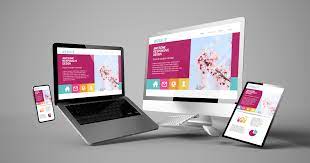
To ensure the success of your responsive web design in WordPress, follow these best practices:
Follow accessibility guidelines: Ensure your website is accessible to all users, including those with disabilities. Use proper heading structures, alternative text for images, and color contrast that meets accessibility standards.
Optimize SEO for responsive sites: Implement mobile-friendly practices, such as fast loading speed, mobile-friendly design, and structured data markup, to improve your website’s search engine visibility.
Keep up with WordPress and responsive design updates: Stay updated with the latest version of WordPress and regularly update your themes and plugins to maintain security and compatibility.
Ensure ongoing maintenance and updates: Regularly monitor your website’s responsiveness, fix any issues promptly, and keep your content up to date.
How do I make my WordPress website responsive?
Making your WordPress website responsive involves implementing certain design and development techniques. Here are the steps to make your WordPress website responsive:
- Choose a responsive theme: Select a WordPress theme that is designed to be responsive. Many themes come with built-in responsiveness, ensuring that your website will adapt to different screen sizes.
- Use a responsive framework: Consider using a responsive framework like Bootstrap or Foundation, which provides a grid system and pre-built components that make it easier to create responsive layouts.
- Optimize images: Resize and compress your images to reduce their file size without compromising quality. Use plugins like Smush or EWWW Image Optimizer to automate the image optimization process.
- Use a responsive plugin: Install and configure a responsive design plugin, such as WPtouch or Jetpack, which can optimize your website for mobile devices and provide additional responsive features.
- Implement media queries: Use CSS media queries to define different styles for different screen sizes. Adjust the layout, font sizes, and other design elements to ensure your website looks good on various devices.
- Test on multiple devices: Test your website on different devices, including smartphones, tablets, and desktops. Use responsive design testing tools or physical devices to check how your website appears and functions across different screen sizes.
- Optimize typography: Ensure that your typography is legible on smaller screens. Use relative font sizes and line heights that scale appropriately for different devices.
By following these steps, you can make your WordPress website responsive and provide a seamless user experience across devices.
Does WordPress have responsive web design?
Yes, WordPress supports responsive web design. Responsive web design refers to the practice of designing and developing websites that adapt and respond to different screen sizes and devices. WordPress provides the necessary tools, themes, and plugins to create responsive websites.
Many WordPress themes are built with responsive design in mind, meaning they automatically adjust their layout and design elements to fit different screen sizes. These themes use techniques like fluid grids, flexible images, and CSS media queries to ensure that your website looks good on various devices.
In addition, there are numerous responsive design plugins available for WordPress that can further enhance the responsiveness of your website. These plugins provide features like mobile-friendly menus, image optimization, and device-specific layouts to optimize the user experience on different devices.
By leveraging responsive themes and plugins, you can easily create a responsive website using WordPress without the need for extensive coding or technical knowledge.
What is responsive design in WordPress?
Responsive design in WordPress refers to the process of creating websites that adapt and respond to different screen sizes and devices. It involves using responsive themes, design techniques, and plugins to ensure that your website looks and functions well on desktops, laptops, tablets, and smartphones.
Responsive design in WordPress typically includes:
- Flexible layouts: Using fluid grids and CSS techniques to create layouts that adjust dynamically based on the screen size.
- Media queries: Implementing CSS media queries to define different styles and layouts for different devices.
- Responsive images: Optimizing images to load quickly and resizing them based on the device being used.
- Mobile-friendly menus: Implementing navigation menus that are easy to use on touchscreens and small screens.
- Typography adjustments: Scaling font sizes, line heights, and other typographic elements to ensure readability on different devices.
WordPress provides a range of responsive themes and plugins that simplify the process of creating a responsive website. By leveraging these tools, you can ensure that your WordPress website is visually appealing, user-friendly, and accessible across devices.
How can you create a responsive website?
To create a responsive website, follow these steps:
- Choose a responsive theme or framework: Select a WordPress theme that is designed to be responsive or use a responsive framework like Bootstrap or Foundation.
- Plan your layout: Determine how your website’s content and design elements will adjust based on different screen sizes. Consider the order of content, placement of images, and the number of columns in your layout.
- Use fluid grids and flexible layouts: Implement CSS techniques that allow your layout to adapt to different screen sizes. Use percentage-based widths, flexible images, and media queries to adjust the layout dynamically.
- Optimize images: Resize and compress images to reduce their file size without sacrificing quality. Use responsive image techniques, such as srcset and sizes attributes, to deliver appropriately sized images based on the user’s device.
- Implement media queries: Use CSS media queries to define different styles for different screen sizes. Adjust font sizes, margins, paddings, and other design elements to ensure optimal readability and usability.
- Test and iterate: Test your website on various devices and screen sizes to ensure responsiveness. Make adjustments as needed to address any layout or usability issues.
- Consider mobile-specific features: Enhance the user experience on mobile devices by incorporating touch-friendly interactions, optimizing form inputs, and utilizing mobile-specific plugins or features.
By following these steps and utilizing responsive design principles, you can create a website that provides a seamless and engaging experience across different devices.
Conclusion
Creating a responsive web design in WordPress is crucial for providing an optimal user experience across devices. By following the steps outlined in this guide, you can ensure that your website is visually appealing, functional, and accessible to all users.
Implementing responsive design requires careful planning, testing, and ongoing maintenance, but the benefits are well worth the effort. So, whether you’re a business owner, blogger, or web designer in Michigan, prioritize responsive design to cater to the ever-growing mobile audience and stay ahead in the digital landscape.